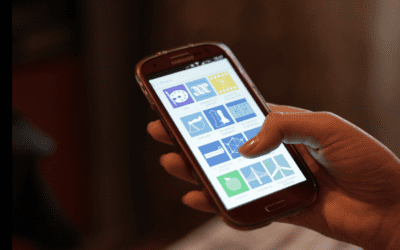
Be aware of international data roaming when traveling. What you don’t know can really hurt financially.
 FAA finds in favor of AA. April 16, 2026
Today’s FAA decision on scheduling at O’Hare International Airport will make travel smoother for Chicago travelers and anyone flying through ORD. A spat between AA and United on scheduling correctly keeps flight volumes within the airport’s capacity. It ensures no one airline can push out competitors or eliminate the benefits of Chicago’s dual hub. You can read more in our op-ed last month calling for the FAA to take action on behalf of travelers here.
Main story today is on the international telephone service.
This is not an advertisement for T-Mobile, but travelers who use the T-Mobile services while traveling have no new limits on their text messages or data. Others seem to be running out of data and are forced to pay more. Now, even T-Mobile customers have to pay extra for voice calls, but, even there, the price is minimal — most often only 20-25¢ a minute. So, this article is for the rest of the travelers with Verizon, AT&T, and other data plans and services.
While traveling, we become even more dependent on our smartphones than usual. There are no other phones to use. We all need to get around, so map programs are becoming increasingly important. Airline boarding passes are often loaded on cell phones. Apps that tell travelers the best hotels and restaurants are needed more than ever. And every time we pick up our mobile phone we need to use data.
Most travelers have learned the hard way that international data roaming is extremely expensive outside North America. I cringe when I hear how much some of the calling plans and data plans have cost unsuspecting smartphone users. Even when travelers are using a local SIM card, prepaid data allowances are very limited compared to what they’re used to back home.
Here are some ways to save on international data roaming charges when traveling.
 These have been culled from articles found on TripSavvy, Time Magazine, and Apple Support.
1. Turn off data roaming or switch to airplane mode.
This will eliminate all data usage. Then connect for calls or to check email or text whenever a Wi-Fi spot can be found.
2. Buy an international data roaming plan.
This will limit data usage but is not cheap.
3. Disable the apps and background operations that use data.
Automatic backup and app updating tools can run up a data plan usage like mad. We have become used to them here at home. However, there is no need to have them working on your data plan. Wait for a good Wi-Fi spot.
Turn auto-updating off for your Play Store (Android) or App Store (iOS) or at least set automatic updates to only run over Wi-Fi. Check the settings inside each app on your phone. Make sure photos, videos, and other large files are only backed up automatically when there’s a Wi-Fi connection available.
Double-check all the other apps you’ve got installed. Turn off any kind of inbuilt automatic updating or refreshing system unless it can be set to only run over Wi-Fi. It’s amazing how many apps want to update their information without caring about which connection they’re using. It is amazing just how much data they’ll use while doing so.
4. Limit cellular data access for iOS apps.
iOS has the ability to individually limit which apps can access cellular data. If using an iPhone or iPad, just before heading overseas, go to Settings–Cellular–Use Cellular Data for, and disable access for anything that doesn’t absolutely require it.
Netflix, weather apps, Spotify, and many other apps can all safely have their access to international data roaming turned off until you get back home. If a traveler really needs to get the latest forecast or listen to their favorite song while on the move, they can briefly re-enable access — but at least they’ll know it’s happening!
5. Stop apps refreshing in the background
Again on iOS, turn off Background App Refresh. Found under Settings–General, this setting prevents apps from sending and receiving data in the background using international data roaming.
If it’s going to save you money, does it really matter if Twitter is a few hours out of date when you first open it? Almost certainly not.
6. Use lightweight versions of apps
As major companies have expanded into developing markets, they’ve realized that older phones and slow Internet connections are common, and released lightweight versions of their apps to help compensate.
7. Use a messaging app to avoid international data roaming and calling charges
Apps like WhatsApp and Viber make it so that you won’t have to pay for texts to your friends and family who are using the same app. Similarly, iMessage is free, as are Google Voice and Skype when you use them over a Wi-Fi network.
That’s good news for international travelers, too, since these lightweight apps almost always use less data than their full-size counterparts. You’re more likely to find them available for Android than iOS, with well-known examples including Facebook Lite, Twitter Lite, and several Google products (including Maps) collected under its “Go” brand.
8. Buy a local SIM card
I haven’t done this for years, but having a local phone can be a lifesaver. If your cell phone is unlocked, it can use a local prepaid SIM card while traveling abroad. Plans are far cheaper than many international plans. When moving from country to country, SIM cards can get pricey as well. However, remember calls or texts coming into your regular home number will not ring through — but you can set up forwarding if necessary.
9. Make sure to have a VPN that provides secure Wi-Fi
Buy an inexpensive VPN service for secure Wi-Fi. The VPN allows travelers to make it appear that they are logging in from the USA rather than a foreign country. Most VPN systems have various services that can be accessed in the USA. By using a US-based server, many geo-limited sites can be circumvented. Travelers can check to see whether locals in Europe are getting a better hotel deal than Americans get making reservations back home. When flirting on Match.com, a VPN allows flames to keep flickering. Otherwise, signing into a foreign version of the service does not link with potential US dates.

Photo by Paul Hanaoka on Unsplash.
READ ALSO:
Will the Iran war claim an airline because of fuel costs?
5 foreign travel mistakes no one thinks they’ll make — but they do

Charlie Leocha is the President of Travelers United. He has been working in Washington, DC, for the past 14 years with Congress, the Department of Transportation, and industry stakeholders on travel issues. He was the first consumer representative to the Advisory Committee for Aviation Consumer Protections appointed by the Secretary of Transportation from 2012 through 2018.