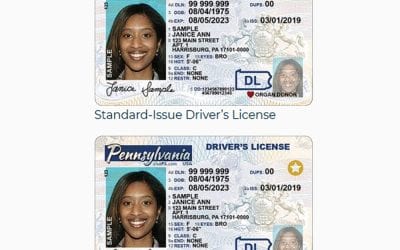
Review my 12 cyber and physical methods for passport and document security from criminals and cybercriminals while planning and during your journey.
 For international travel, there is nothing more important than passport and document security. Passports serve as the primary documentary proof of identity and nationality to foreign governments on entry to their nations.
There are times when specific treaties with certain nations might permit foreigners to enter and travel within their countries without a passport. Generally, passports are the essential ID. Moreover, a passport is typically needed to re-enter one’s home country.
Preventing cybercriminals from stealing your identity is as important as protecting your travel documents from ordinary criminals.
All travelers must understand that personal information is one of the most valuable commodities for sale by cybercriminals today. Theft of your personal information, such as that found on your passport, can cause long-term financial trouble. It creates serious identity issues and poses safety risks in certain circumstances.
The days of keeping passports secure solely by protecting them physically is long over.
Keeping passports, boarding passes, and ID cards secure by travelers keeping them in their physical possession is long over. If those documents are scanned and/or stored in the cloud, they are just as vulnerable to cybercriminals as any electronic scans and files.
You now have to physically protect your passport and other critical travel documents. The documents must be protected from cybercriminals. They sell it to the highest bidder or in bulk via marketplaces such as the “dark web.”
There are five main ways that ordinary criminals and cybercriminals obtain travel document information.
1. Traveler local and mobile devices:
I recommend that international travelers keep scanned copies of their critical travel documents. This includes their passport, in their smartphone, in case their passport and other documents are lost or stolen. Having the documents in your smartphone can facilitate their quick replacement. However, to prevent their theft from your backup of the documents you must take serious security measures to prevent criminal device theft and cyber-theft.
2. Unsecured traveler cloud storage:
I also recommend that international travelers store scanned copies of their critical travel documents on the Cloud. This provides for fast retrieval in case their passport and other documents are lost or stolen. This provides added security if any of their electronic devices are stored, lost, or stolen. Travelers must take precautions to protect online documents, too. According to a comprehensive report by NordVPN, cybercriminals can use tricks and techniques such as “Google dorking” to find traveler data to eventually steal it.
3. Fraudulent travel sites:
It’s well known that cybercriminals set up phony websites that look perfectly legitimate and are set up specifically to steal ID images and ID information, including passport information. More often than not, cybercriminals use a variety of phishing techniques to push travelers to the fraudulent sites.
4. Compromised travel company sites:
Unfortunately, history has recorded major breaches of travel company websites that contain huge troves of travelers’ personal and travel document information. A cybercriminal that manages to hack into a travel company’s site can access detailed travelers information, often including passport information given to travel agents, etc., for legitimate purposes. The 2018 Marriott data breach exposed the passport numbers of millions of customers.
5. Physical theft:
Not taking proper precautions to physically protect passports and other travel documents has long been the easiest way for criminals to steal a travelers’ identity and critical personal information.
I have a dozen methods that you can use to protect yourself from criminals and cybercriminals bent on stealing your identity and travel documents.
• If you don’t need it while you travel, leave it at home:
Any IDs, travel documents and travel information that’s not needed for your journey should be left at home. If it’s not with you, it can’t be stolen or compromised.
• Protect devices:
Use only top quality, reliable security software that includes anti-virus and malware protection, as well as virtual private networking to protect your data devices. I use all three on both my mobile and office electronic devices. In addition, use a software firewall while on the go and a hardware firewall in your home and/or office.
• Passcodes, passwords, pin numbers:
Enable passcodes, passwords and pin numbers for all startup logins. Create individual, strong passcodes, passwords and pin numbers. Don’t use them repeatedly. Use two-factor authentication or better yet, physical security keys whenever possible.
Not only must your password and passcode protect your data, but you should use encryption, too.
• Encrypt sensitive information on your electronic devices:
Encrypt sensitive information on your devices and use password/passcode protection on all travel documents.
• Ensure that your devices are up-to-date:
Make sure that your operating systems, hardware and software on your devices are fully up- to-date with the latest firmware and updates. In particular, make sure that your operating systems and all software that use the Internet are fully up-to-date with the latest patches.
• Disable automatic connections:
Disable auto-connect for all WiFi and Bluetooth connections during international travel.
Secure online travel files with passwords, passcodes, VPN
• Secure online travel files:
If you save your scanned passport and other travel documents online in locations either public or private, use encrypted storage or a private vault. Password protect all individual files. Disable all sharing options, including document sharing and folder sharing.
You’ve got to be prepared to recognize phishing scams and other electronic data vulnerabilities.
• Phishing scams:
Carefully examine, inspect and study all travel related email, text messages or web pages that ask for any personal data, including personal travel data. Consider using a link checker to determine any link’s safety.
• Use VPN for all Internet connections:
Particularly when traveling, use a VPN connection on WiFi network so that your Internet connection is protected by encryption from end to end.
Monitor your accounts and if your documents are lost or stolen, report them immediately.
• Monitor all your financial and travel loyalty accounts:
I’ve set up all my financial accounts with online access to report each and every transaction to me in real time. I’ll know if a fraudulent or questionable transaction occurs. I monitor other accounts at least monthly by logging into them and reviewing them fully. This includes programs such as travel loyalty programs without a self-reporting capability.
• Instantly report lost or stolen documents:
If you ever lose or have your passport, IDs, credit or debit cards and other important travel documents stolen, report that to their provider immediately so you can obtain a replacement and ensure to the best of your ability that their loss won’t damage you.
• Physically protect documents:
Physically protect all travel documents — including your passport — with money belts, neck pouches. Wear protective clothing. Also, use safes and safety deposit boxes, etc., when at your hotel.
It is essential to protect travelers’ documents to the fullest extent possible. Protection of travel documents is an ongoing job for every traveler. The dozen protections above form a great security start. If there other situations different measures might be necessary.


After many years working in corporate America as a chemical engineer, executive and eventually CFO of a multinational manufacturer, Ned founded a tech consulting company and later restarted NSL Photography, his photography business. Before entering the corporate world, Ned worked as a Public Health Engineer for the Philadelphia Department of Public Health. As a well known corporate, travel and wildlife photographer, Ned travels the world writing about travel and photography, as well as running photography workshops, seminars and photowalks. Visit Ned’s Photography Blog and Galleries.