I have a 9 step procedure to help you identify hidden surveillance/security cameras in hotel rooms and Airbnb rentals so you can help ensure your travel privacy and safety.
 I’ve spoken or corresponded with many travelers who fear that they will encounter hidden surveillance cameras in their hotel room or Airbnb rental. I understand the fear, but so far I’ve been fortunate. I’ve never detected one in my hotel room or an Airbnb rental.
A British couple found their Airbnb owner was spying on them in the bedroom.
That’s not true for everyone, of course. Earlier this month, a retired British couple, Donna and Raymond Nunn, were forced to leave their Airbnb in Madrid. They discovered a hidden camera pointed directly at their bed. Can you imagine discovering a “Peeping Tom” camera in the bedroom you’ve rented for your thirty-ninth anniversary celebratory vacation?
Soon after their arrival, the couple saw what they thought was a motion sensor or camera in the living room that faced the front door. Because it didn’t have a flashing light, they assumed it was a security device. The next day, Raymond Nunn spotted a device in the bedroom. This device had a green light that flashed. It was in a corner of the room and pointed toward the bed. They were extremely alarmed as they had spent the night in the bedroom.
The security camera in the bedroom was a direct violation of Airbnb rules.
According to news reports, Donna Nunn said, “We were both shaking when we realized. Raymond took the camera off the wall and turned it around, but it was horrifying.”
Airbnb states on their website (First posted on April 30, 2024, more than two years ago.),
“We do not allow hosts to have security cameras or recording devices that monitor indoor spaces in homes, even if these devices are turned off. Hidden cameras have always been prohibited and will continue to be prohibited. Hosts are allowed to have exterior security cameras, noise decibel monitors, and smart devices in homes as long as they comply with the below guidelines and applicable laws.”
When the Nunns phoned Airbnb, the company did the right thing. They told the Nunns to leave immediately. They received a full refund from Airbnb, including the cost of their rebooking. Airbnb removed the offending Madrid property listing from its platform.
Here are my nine steps for you to use to hunt for and identify hidden cameras:
Despite the possibility for the Airbnb you rent to violate the company’s clearly stated security camera rules, you can still rent one of their properties and enjoy your vacation stress free and in peace, as there are easy to use, straightforward steps that you can take to spot hidden surveillance cameras in your rental.
Here are my nine steps for you to use to hunt for and identify hidden cameras:
1. Check for lights:
Many video cameras have small LED indicator lights on them to let users know they’re on and operating. Darken the rooms in which you’re looking for a camera by turning off the lights and closing the blinds. Then scan the rooms for any device emitting light. If you see a light, inspect its source carefully.
Two of the most effective ways to discover hidden cameras in your Airbnb or hotel room is to check for lens reflections and for infrared light being emitted by the camera.
2. Check for reflections:
While the room is still dark, shine a flashlight all over each room. Look for small reflections of the flashlight. The reflections can be colored if the camera lens has been optically coated. The reflection could be white, blue, purple or green. If you see a small reflection, inspect its source carefully.
3. Scan for infrared light:
Many hidden cameras emit infrared (IR) light while they’re in use. IR light is invisible to the naked eye, but many smartphone cameras are able to detect it. If your smartphone is IR capable, with your room still dark, scan each room with your smartphone’s camera to see if it detects purple or white light on its screen that you can’t otherwise see. If it’s there, search for the camera. You can test your smartphone’s IR capability with a typical TV remote. Take a photo of the remote when you activate its signal with one of its buttons. If you see a light in the photo, it’s IR capable.
4. Check for suspicious items:
Once you turn the lights in the room back on and open any blinds, walk your rooms and look for anything that appears suspicious, out of place or something that shouldn’t actually be in the room. Pay particular attention to clocks, smoke detectors, wall decorations, USB chargers and clock radios. They’re known to have been used to secret video cameras in the past. Don’t forget to check behind all HVAC air vents.
5. Check mirrors:
Next, check to see if any mirrors in the room are two-way. They can hide a video camera behind them. Place the tip of a finger on the surface of the mirror. Look at the gap between your fingertip and its reflection. If there’s a visible gap between the them, it’s a real mirror. If your fingertip and its reflection are touching tip to tip, it possible that it’s a two-way mirror.
Tech security colleagues agree that it’s important to check for WiFi and Bluetooth devices if you think your Airbnb or hotel room has intrusive hidden cameras capturing your every move.
6. Scan the local WiFi network:
Download a network scanning app to your smartphone. My top choice to scan WiFi networks is Fing. Fing works on Android and iPhones, as well as Windows and MAC computers. Connect to the local WiFi network at your Airbnb, then see if there are any device names listed on the scan that you don’t recognize or that are suspicious. If you see one, try to find the device to determine what it actually is.
7. Check for Bluetooth connected cameras:
Set your Bluetooth to its paring mode and see what new devices it picks up beyond your own. You can skip the TVs and typical smart home tech devices. You want to look for devices with cryptic or unrecognizable identifiers. This can take a bit of time, but walk from room to room, particularly bedrooms to pick up all the devices.
8. Use a hidden camera detector app:
Most smartphone detector apps aren’t free. Many have a monthly charge, but they can give you a leg up as they typically use Wi-Fi and Bluetooth scanning, plus infrared detection to find a camera in your room(s).
Stand alone hidden camera detectors might help you find the cameras, but the ones that work may not be worth their cost considering the odds of your Airbnb or hotel room haven hidden camera surveillance.
9. Use a hidden camera detector:
If you’re highly concerned, there are many hidden camera detector devices available for purchase. Prices for the devices run from $20 to more than a $1,000. Many models use multiple scanning methods to try to detect hidden cameras. Personally, I don’t think that purchasing an expensive hidden camera detector is worth it or if an inexpensive one will actually work. I have seen a $100 unit demonstrated and it detected the two hidden cameras I had secreted, but I don’t know how well it would work generally.
If you’re worried about your Airbnb or hotel room, the first seven methods I’ve listed have a solid chance of finding hidden cameras, if any are there. While each person has to decide for themselves if they’re concerned about hidden cameras, when I get to my hotel room or Airbnb, I typically check the rooms for bedbugs first and often. Then due to hidden camera news reports, I look for signs of a hidden camera in bedrooms and bathrooms. There are too many crazy people these days to ignore the problem totally.
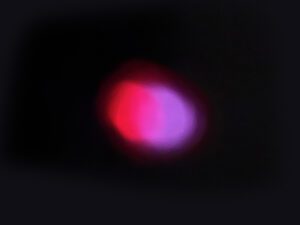
(Image: Successful iPhone camera test to determine if it can photograph infrared light. Copyright © 2026 NSL Photography. All Rights Reserved.)

After many years working in corporate America as a chemical engineer, executive and eventually CFO of a multinational manufacturer, Ned founded a tech consulting company and later restarted NSL Photography, his photography business. Before entering the corporate world, Ned worked as a Public Health Engineer for the Philadelphia Department of Public Health. As a well known corporate, travel and wildlife photographer, Ned travels the world writing about travel and photography, as well as running photography workshops, seminars and photowalks. Visit Ned’s Photography Blog and Galleries.